PDF Pro : Reader&Editor
FENGMAIJIProductivity
3.354.00 Reviews
- Version
- 1.0.4
- Installs
- 1.00M
- Age Rating
- Everyone
Screenshots
Our Review of PDF Pro : Reader&Editor
 Analysis by Appyee
I tend to judge document apps by what happens on an ordinary busy day, not by how many formats they claim to recognize. Before using PDF Pro : Reader&Editor, my document routine was the familiar mess: a PDF opened in one app, a Word file in another, a spreadsheet sent to a separate viewer, and a presentation that sometimes needed a desktop program before I could even check one slide. FENGMAIJI’s productivity app aims to reduce that switching by putting common office documents in one place.
That sounds simple, but it matters when the task is not “edit a document for an hour,” but “find the attachment, read it, check one figure, and send the right version before the next meeting.” I found the app most useful as a lightweight document hub rather than a full replacement for every desktop office tool. It is free, rated for Everyone, and has reached over 500K installs, which makes it easy to try without turning the decision into a major commitment.
From scattered files to a workable document routine
I find that the biggest benefit of a mixed-format document app is not simply opening more files; it is having one predictable first step when an attachment arrives. That can make a rushed review calmer, especially when I need to identify what deserves attention before deciding where the work should continue. The next section looks at how I would turn that convenience into a practical routine.
Why a single reader changes the starting point
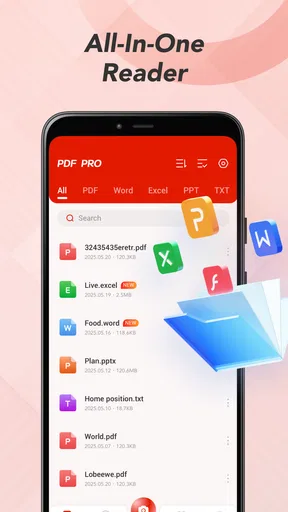
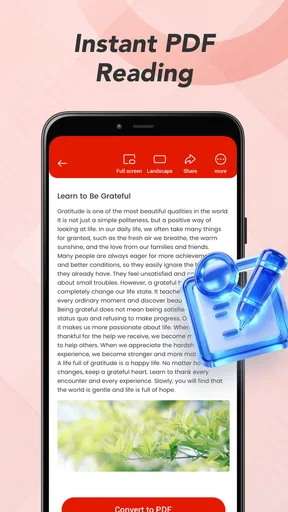
The app covers PDF, DOCX, XLSX, PPT, and TXT files, so its main value appears before any editing begins. Instead of asking which application can open a file, I can start with the document itself. That change is small, but it removes a surprisingly common interruption from a mobile workflow.
I would describe it as an office suite with a strong reader-first identity. The short store label calls it “PDF Pro,” yet the broader use is checking several office formats from the same productivity space. That distinction is important. Someone looking only for a dedicated PDF annotator may expect a specialized tool, while someone who frequently receives mixed attachments may appreciate the wider coverage more.
In my experience, the best use begins with a clear rule: the phone is for reviewing, sorting, and making limited changes, while a computer remains the better place for long documents or complex layouts. Following that rule prevents the app from becoming another place where unfinished work accumulates.
A realistic everyday example
Imagine receiving a PDF agenda, a DOCX proposal, and an XLSX expense sheet during a commute. I would open each one in the same app, check the relevant pages or cells, and decide what actually needs attention. The proposal might need a note for later, the spreadsheet might only require confirming a total, and the agenda may simply be ready to read.
The useful part is not merely opening three formats. It is making a quick decision without downloading several viewers or losing track of which file belongs to which task. I would then move the genuinely unfinished work into a named folder or a simple follow-up list outside the app, rather than relying on memory.
This is one of the less obvious trade-offs of a general document app: it reduces tool switching, but it does not automatically create a complete task-management system. The reader still needs a personal method for deciding what is done, what needs editing, and what should be archived.
Capture first, organize before the pile grows
When I receive files from email, messaging apps, or cloud storage, I prefer to treat the first opening as a sorting moment. I check the document, identify its purpose, and give it a useful place immediately. With an app like this, that habit is more valuable than repeatedly opening the same attachment and hoping I will remember it later.
A practical structure might separate “to review,” “reference,” and “finished” material. The exact folder names are less important than keeping them few enough to use consistently. If every project gets a complicated hierarchy, mobile organization becomes slower than the original problem.
For spreadsheets, I would also record the context of the file in its name when possible. A name such as “travel expenses final” is more helpful than a generic attachment name once several versions appear. This is not a glamorous feature, but it is the kind of small workflow decision that determines whether a document viewer saves time after a week of use.
Text files deserve similar care. They are easy to overlook because they open quickly, yet they can contain notes, copied instructions, or temporary information that should not remain mixed with important office documents. I would use the app to inspect them, then either move useful content into a proper note system or remove the file when it has served its purpose.
Building a repeatable review routine
I get more from this kind of app when I use it at predictable points rather than opening it randomly. A short morning pass can cover new attachments, while an evening pass can clear documents that no longer need attention. The goal is not to spend more time inside the app; it is to make document handling deliberate.
For a recurring work process, I would use the same sequence every time: open the incoming file, read only enough to classify it, check the important details, rename or store it sensibly, and note the next action elsewhere. This keeps the app in its proper role as a document workspace instead of turning it into a substitute for reminders or project planning.
A useful trick is to review by decision rather than by file type. Instead of opening all PDFs first and all spreadsheets later, I would group items into “read now,” “verify,” and “send onward.” That approach reflects how work actually moves and makes the mixed-format support more useful than a simple list of compatible extensions.
For people who work mostly from a phone, this routine can also reduce unnecessary editing. If a document only needs a quick check, I would avoid changing it. Every additional mobile edit creates another version to identify later. The safest workflow is often to review on the phone and reserve substantial revisions for a larger screen.
Where the app feels most practical
The strongest case is everyday document access. Students can use it to read lecture handouts, check presentation files, and inspect text notes without maintaining separate viewers. Freelancers can review proposals and spreadsheets between appointments. Families may find it handy for opening forms, schedules, or school documents that arrive in different formats.
It also suits people who want a free starting point. There is no purchase decision blocking the initial trial, and the Everyone content rating makes it broadly approachable. I would still judge it by the files I personally handle most often, because broad format support does not guarantee that every complex document will behave exactly like it does on a desktop.
The current release is version 1.0.4 and requires Android 8.0 or newer. In practical terms, that means users on older phones should check compatibility before planning their whole document workflow around it. For supported devices, the requirement is not especially demanding, but compatibility is still the first gate.
The difference between reading and editing
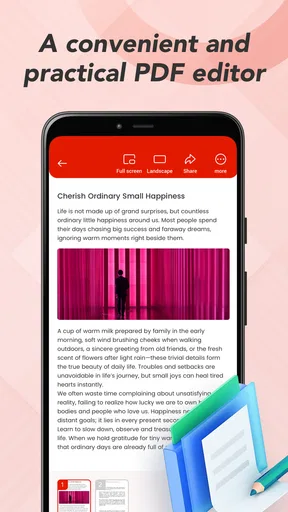
The name includes “Reader&Editor,” so I approached it with two expectations: reliable viewing and enough editing capability for quick corrections. Those are not the same job. Reading a PDF, checking a DOCX paragraph, or inspecting a spreadsheet is usually a focused task. Rebuilding a heavily formatted report, managing formulas, or polishing a presentation is much more demanding.
I would therefore use the editing side for small, controlled changes and confirmation work, not as my default environment for major office production. A phone screen makes precision harder, and complex layouts can be tiring to inspect. If the document is important enough that a misplaced line break or altered cell could cause trouble, I would verify the final result on the original desktop software.
This is also where the app compares with usual alternatives. A dedicated PDF tool may offer a deeper PDF-centered workflow, while a full office suite may provide stronger creation and collaboration features. PDF Pro : Reader&Editor is more appealing when the problem is variety: several ordinary formats, one mobile entry point, and a need to move quickly between them.
Small habits that prevent common mistakes
My first habit would be to keep the original file untouched whenever a document matters. Before editing, I would make a clearly named working copy if the workflow allows it. That gives me a way back if a mobile change produces an unexpected layout or if I later discover that I opened an older version.
My second habit would be to inspect page breaks and spreadsheet edges before sharing anything. A document can look fine at the beginning and still have a clipped table, an awkward final page, or a hidden column that changes the meaning. Mobile review is excellent for catching obvious issues, but it should include a quick check of the whole document rather than only the first screen.
My third habit would be to avoid treating the app as the final archive by default. I would keep important files in the storage system already used by my household, school, or workplace, then use the app as the convenient place to open them. That reduces the risk of creating duplicate copies in several locations.
These habits are especially useful because a document viewer can make access feel effortless. Effortless access is helpful, but it can also encourage careless downloading. A sustainable productivity system needs a cleanup point, otherwise the convenience of opening everything becomes a new source of clutter.
Failure points and moments that need caution
The first friction point is the limit of mobile comfort. Reading a short document is easy to justify on a phone; editing a long report is not. Small controls, dense tables, and presentation layouts can demand more attention than the task deserves. When I need exact formatting, I would switch to a computer rather than forcing the mobile workflow.
The second is version confusion. Opening a file from a message, saving a modified copy, and later receiving another attachment can create several nearly identical documents. The app can help me access them, but naming and storage discipline remain my responsibility. I would always check the file name and its context before sending a revised document.
The third is the difference between compatibility and fidelity. A file may open successfully while still requiring a careful visual check. This matters most for spreadsheets with wide tables, presentations with carefully positioned objects, and documents whose appearance depends on fonts or page spacing. I would not assume that a successful opening means a perfect reproduction.
Another limitation is that a broad office reader may not satisfy users who need a deep specialist workflow. If your main activity is advanced spreadsheet modeling, collaborative writing, extensive PDF markup, or presentation design, a purpose-built alternative may be the better primary tool. This app makes more sense as a practical mobile layer than as an automatic replacement for every established office suite.
I also would not adopt it solely because the store summary mentions many formats. Compatibility is valuable only if those formats match the files you actually receive. Before reorganizing my work around it, I would test a few representative documents: a normal PDF, a DOCX with headings, an XLSX with a wide table, a PPT presentation, and a TXT note. That quick trial gives a more reliable answer than any general promise.
What the rating and adoption level suggest
The app holds a 3.9 average from around 892 ratings, with 21 written reviews. I read that as a reason to approach it with sensible expectations rather than as a decisive verdict. The rating suggests a useful but not universally perfect experience, which fits the trade-off of a broad mobile document tool: convenience for mixed files, with possible limits when documents become demanding.
Its audience size also makes it feel like a practical option rather than an obscure experiment. Still, popularity does not remove the need to test the exact workflow that matters to me. A student checking handouts and a finance professional reviewing complex workbooks may reach very different conclusions after using the same app.
Because it is free, the cost of testing is mainly time and organization. I would install it, open the files I commonly handle, and see whether it reduces switching without creating duplicate copies or extra cleanup. If it does, it earns a place in the routine. If it only duplicates tools already working well, there is little reason to keep it central.
Who should adopt it, and who should skip it
I would recommend PDF Pro : Reader&Editor to someone who regularly receives mixed office attachments and wants one Android app for quick access. It is particularly suitable for students, mobile workers, casual document reviewers, and anyone who values a free way to inspect PDFs alongside Word, spreadsheet, presentation, and text files.
I would also recommend it to people trying to simplify a phone-based workflow without pretending that a phone is a desktop. Used for triage, reading, light corrections, and deciding what deserves deeper work, it can become a useful part of a sustainable system. The key is to pair it with clear file naming and a separate place for tasks and deadlines.
I would skip it as a primary office environment if my work depends on advanced formulas, exact page design, heavy collaboration, or professional document production. In those cases, a dedicated office suite or desktop application is likely to be more dependable. I would also skip making it the center of my workflow if I already have a trusted viewer that opens every required format and keeps files organized without friction.
My final view after fitting it into a real workflow
PDF Pro : Reader&Editor is most convincing when treated as a calm entry point for mixed documents, not as a promise to replace every productivity tool. FENGMAIJI has positioned it in a useful space: one free Android app for opening common office files and handling everyday document checks.
My recommendation is to give it a focused trial with real files, then keep the workflow that proves helpful. Use it to capture and review incoming documents, organize them before they pile up, and make only the changes that are comfortable on a phone. Keep complex editing, final formatting, and important archival decisions in the tools designed for those jobs.
That balance is what makes the app worthwhile for me. It does not need to do everything to be useful; it needs to remove enough friction from ordinary document handling to justify its place on the phone. With a 3.9 average and a current version of 1.0.4, I see it as a sensible free option for flexible mobile reading, provided I respect its limits and keep the surrounding productivity system simple.
Privacy and Permissions
See what permissions an app requests and how it handles your data.
- Photos/Media/Files
- read the contents of your USB storage, modify or delete the contents of your USB storage
- Storage
- read the contents of your USB storage, modify or delete the contents of your USB storage
- Camera
- take pictures and videos
- Wi-Fi connection information
- view Wi-Fi connections
- Other
- view network connections, full network access, run at startup, draw over other apps, prevent device from sleeping, Google Play license check
Verdict
Strengths of PDF Pro : Reader&Editor
- Opens PDFs quickly, even when switching between several documents.
- Supports annotations, highlights, and handwritten notes for study or work.
- Useful search tools make finding words or phrases inside documents easy.
- Files can be organized into folders for faster access later.
- Offers convenient sharing options for sending edited PDFs to others.
Limitations of PDF Pro : Reader&Editor
- Some advanced editing tools may require a paid subscription.
- Large or image-heavy PDFs can take longer to load on older devices.
- The interface may feel crowded when many editing tools are displayed.
- Cloud and device storage permissions may concern privacy-conscious users.
- OCR accuracy can vary with blurry scans or unusual document layouts.
Similar Picks in This Category
View All
Google Calendar
Google LLC4.6

Google Drive
Google LLC4.3

Google Assistant
Google LLC3.9

Microsoft OneDrive
Microsoft Corporation4.6

Samsung Calendar
Samsung Electronics Co., Ltd.4.1

Microsoft OneNote: Save Notes
Microsoft Corporation4.6
Frequently Asked Questions
What is PDF Pro: Reader&Editor, and what can I use it for?
PDF Pro: Reader&Editor is designed as a mobile tool for opening, reading, organizing, and working with PDF documents on Android or iOS devices. Depending on the version available on your platform, it may include features such as searching text, zooming, bookmarking pages, adding annotations, filling forms, signing documents, and sharing files. It is useful for students, office workers, and anyone who regularly handles PDFs away from a computer.
Can PDF Pro: Reader&Editor edit the original text and images inside a PDF?
The word “Editor” can refer to several different functions, so it is worth checking the feature list in your app store before downloading. Many mobile PDF editors focus on annotations, highlighting, drawing, text boxes, signatures, page rearrangement, and form filling rather than completely rewriting the original document layout. Advanced editing of embedded text, images, fonts, or complex tables may require a paid plan or a desktop application.
Does PDF Pro: Reader&Editor work offline?
Basic reading is generally expected to work offline once a PDF has been downloaded or imported onto the device. This makes the app convenient for viewing manuals, tickets, study materials, and work documents without an internet connection. However, features involving cloud storage, online file conversion, synchronization, document sharing, or account verification may require internet access. Availability can also vary by operating system and app version.
Is PDF Pro: Reader&Editor free to download, and are there in-app purchases?
The application may be free to install while reserving certain tools for premium users. Functions such as advanced editing, document conversion, electronic signatures, cloud integration, removing advertising, or processing multiple files can be offered through in-app purchases or a subscription. Before starting a trial, review the pricing, renewal terms, and cancellation instructions shown on the Google Play Store or Apple App Store to avoid unexpected charges.
Is PDF Pro: Reader&Editor safe for private or sensitive documents?
PDF Pro: Reader&Editor can be useful for everyday files, but sensitive documents deserve extra care. Before importing passports, contracts, financial records, or confidential business files, review the app’s privacy policy, requested permissions, and information about cloud processing. Use a device lock, avoid sharing links accidentally, and delete temporary copies when finished. For highly confidential material, an established service with clear encryption and data-handling policies may be preferable.
